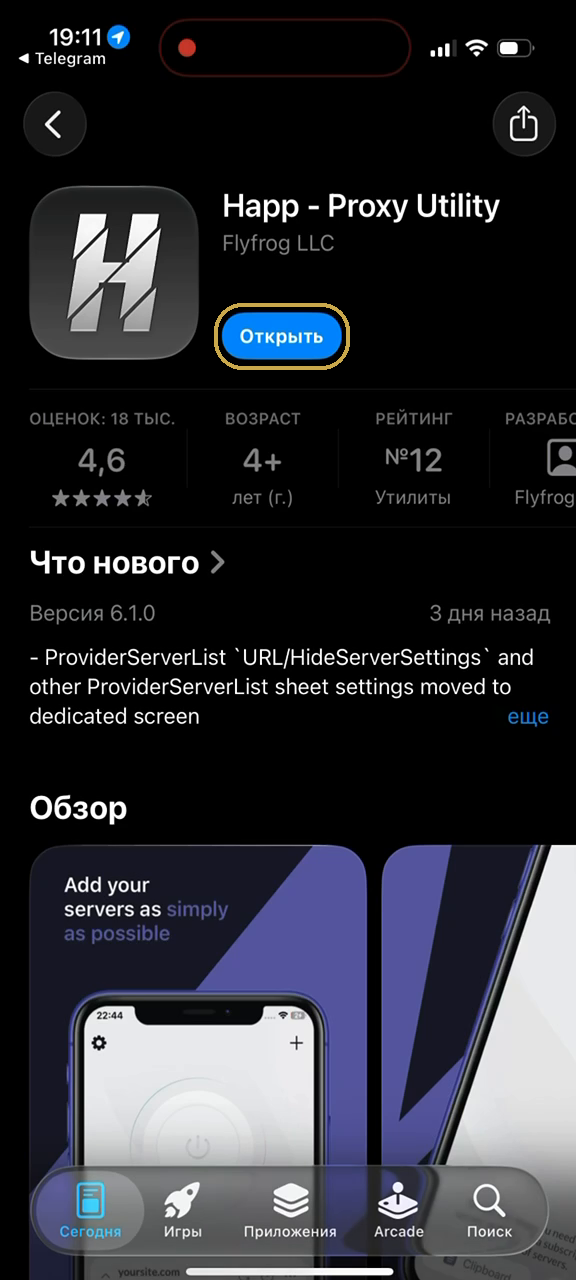
iPhone · App Store
If you can't find Happ in the App Store
Change your Apple Account region, install Happ and return to the connection guide.
Before you beginApple may not allow a region change if you have active subscriptions, remaining account balance or Family Sharing. Use only your own valid details.
Open your App Store profile
Open the App Store and tap the profile icon in the upper-right corner.
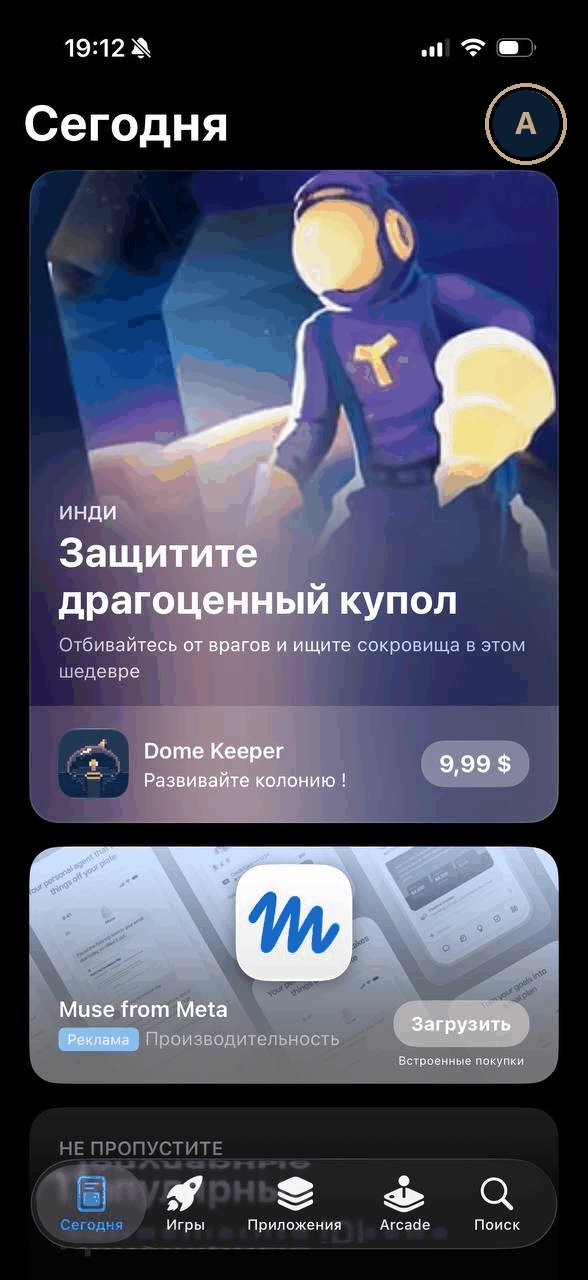
Open your account
Tap the account card at the top of the screen.
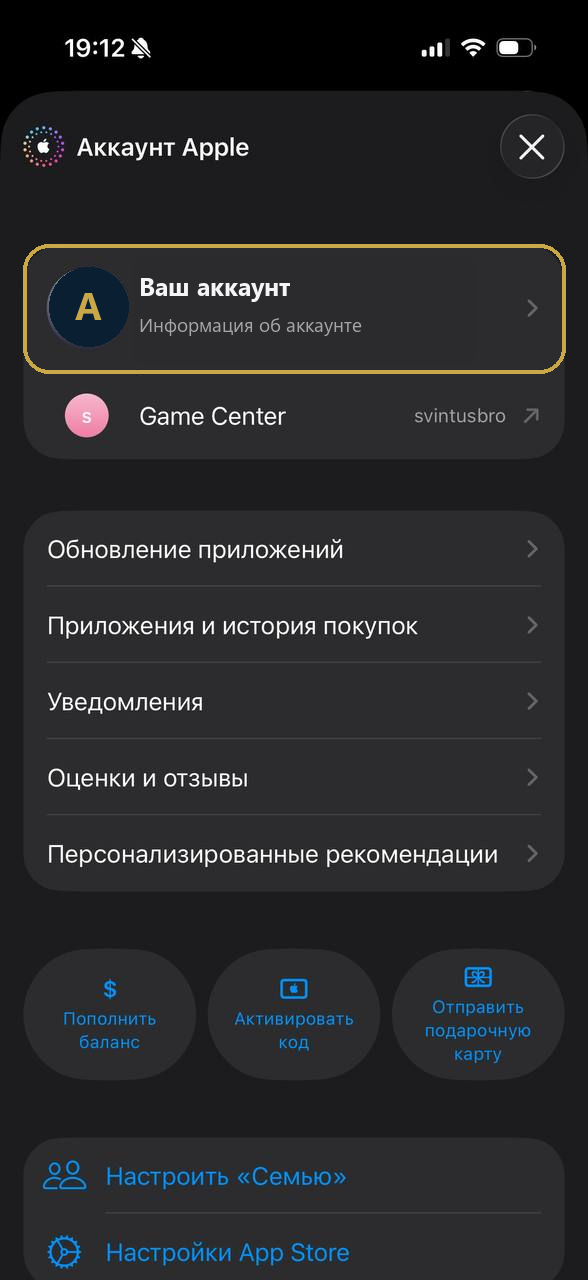
Open App Store settings
Tap “App Store Settings” at the bottom of the screen.
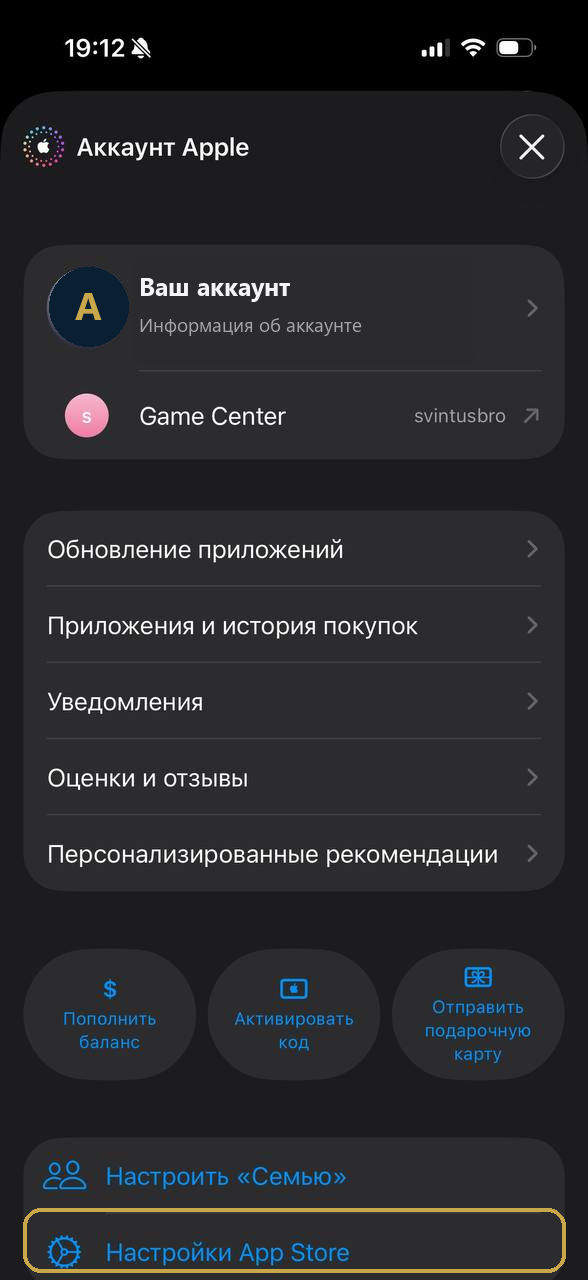
Open region selection
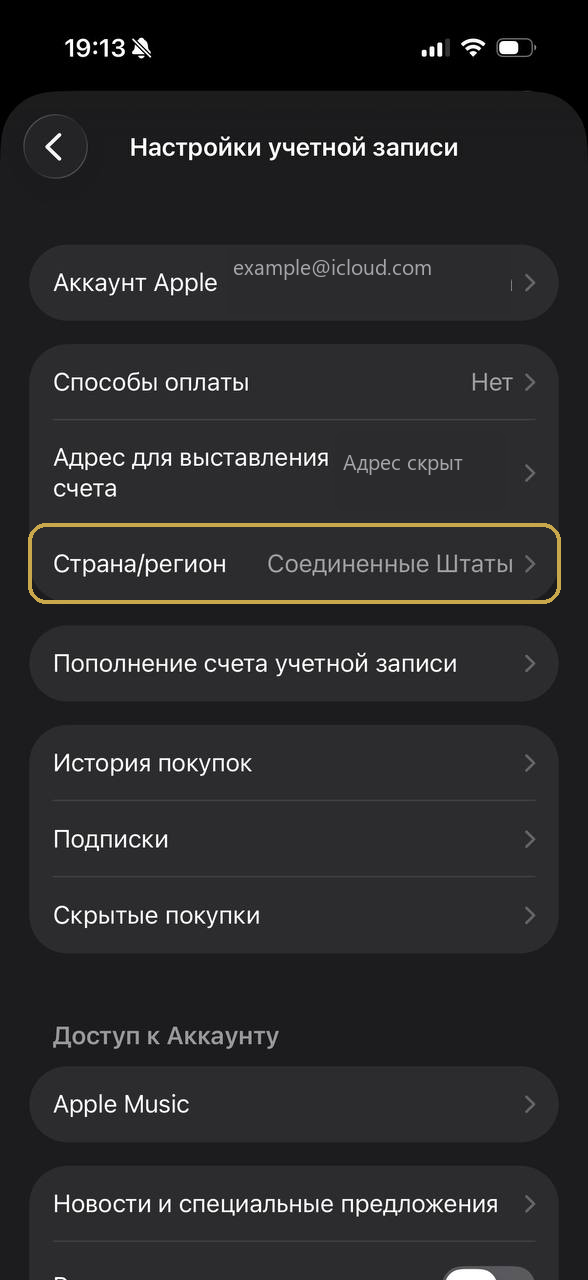
In your account settings, tap “Country/Region”.
Choose a region
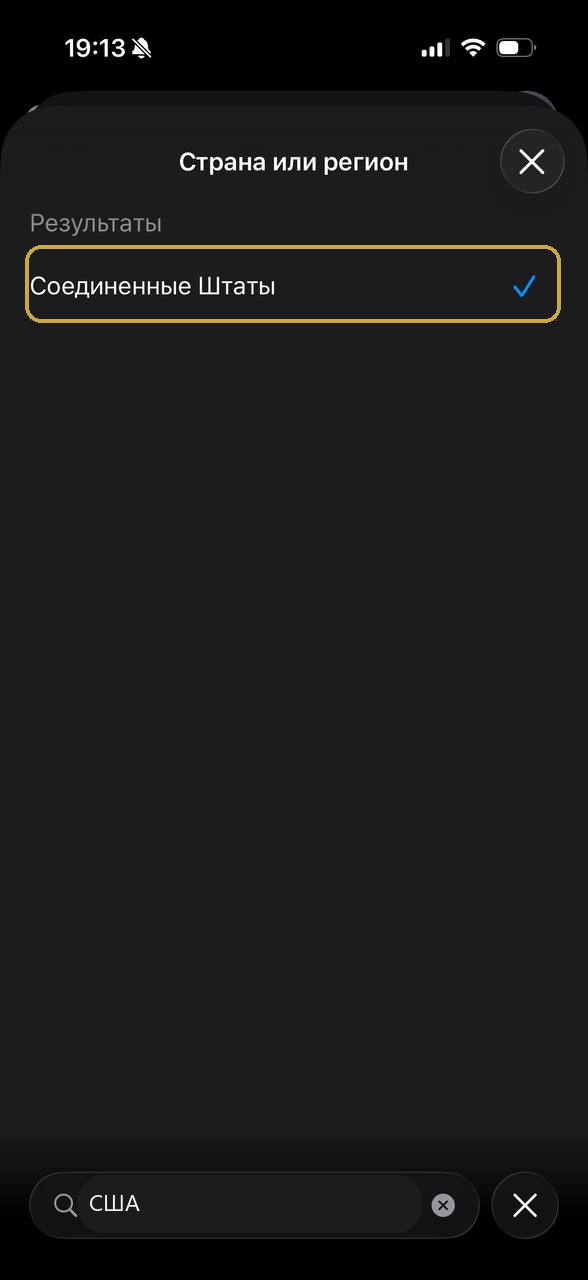
Find the country you want in the list and tap it.
Accept the terms
Tap “Continue”, read the terms and confirm your agreement.
Enter your details
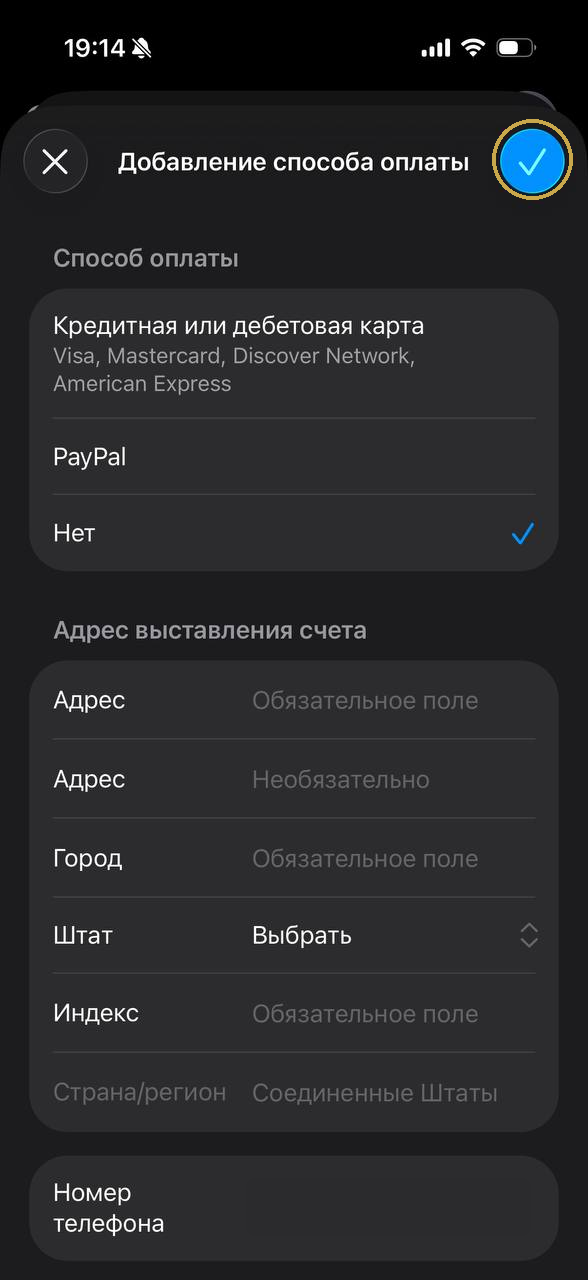
Choose an available payment method and enter your own valid details if Apple asks. When finished, tap the blue checkmark in the upper-right corner.
Install Happ
Return to the App Store, find Happ and tap the download button or “Open”.